
569 lines
32 KiB
Markdown
569 lines
32 KiB
Markdown
# LovyanGFX
|
||
|
||
[](https://www.ardu-badge.com/LovyanGFX)
|
||
[](https://registry.platformio.org/packages/libraries/lovyan03/LovyanGFX)
|
||
|
||
[](https://github.com/lovyan03/LovyanGFX/actions/workflows/ArduinoBuild.yml)
|
||
[](https://github.com/lovyan03/LovyanGFX/actions/workflows/PlatformioBuild.yml)
|
||
[](https://github.com/lovyan03/LovyanGFX/actions/workflows/IDFBuild.yml)
|
||
|
||
|
||
|
||
Display (LCD / OLED / EPD) graphics library (for ESP32 SPI, I2C, 8bitParallel / ESP8266 SPI, I2C / ATSAMD51 SPI).
|
||
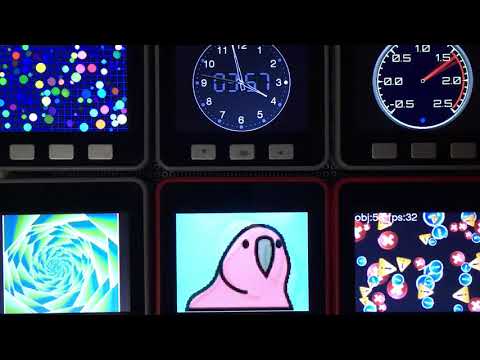
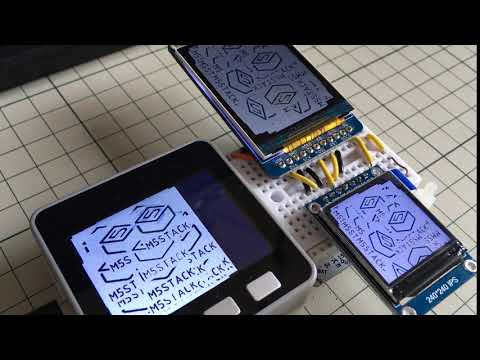
M5Stack / M5StickC / TTGO T-Watch / ODROID-GO / ESP-WROVER-KIT / WioTerminal / and more...
|
||
[](http://www.youtube.com/watch?v=SMOHRPqUZcQ "examples")
|
||
[](http://www.youtube.com/watch?v=F5gsp41Elac "MultiPanel")
|
||
|
||
概要 Overview.
|
||
----------------
|
||
ESP32とSPI, I2C, 8ビットパラレル接続のディスプレイ / ESP8266とSPI接続のディスプレイ / ATSAMD51とSPI接続のディスプレイの組み合わせで動作するグラフィックライブラリです。
|
||
This is a graphics library that works with a combination of ESP32 with SPI, I2C, 8-bit parallel / ESP8266 with SPI / ATSAMD51 with SPI to the Display. (see compatibility list below).
|
||
|
||
[AdafruitGFX](https://github.com/adafruit/Adafruit-GFX-Library) や [TFT_eSPI](https://github.com/Bodmer/TFT_eSPI) と互換性をある程度持ちつつ、より高機能・高速動作を目標としています。
|
||
|
||
This library mimics [AdafruitGFX](https://github.com/adafruit/Adafruit-GFX-Library) and [TFT_eSPI](https://github.com/Bodmer/TFT_eSPI) APIs while aiming for higher functional coverage and performances.
|
||
|
||
既存のライブラリに対して、以下のアドバンテージがあります。
|
||
- ArduinoESP32 / ESP-IDF 対応
|
||
- 16bit / 24bitカラーモード両対応(実際の色数はディスプレイの仕様によります)
|
||
- DMA転送を用いた通信動作中の別処理実行
|
||
- オフスクリーンバッファ(スプライト)の高速な回転/拡縮描画
|
||
- 複数ディスプレイの同時利用
|
||
- モノクロディスプレイに対する減色描画の自動処理
|
||
- [OpenCV,SDL2を描画先として利用でき、PC上で動作可能](examples_for_PC/README.md)
|
||
- [コンポジットビデオ信号(NTSC,PAL)を出力できます (ESP32のみ)](doc/Panel_CVBS.md)
|
||
|
||
This library has the following advantages.
|
||
- ArduinoESP32 and ESP-IDF are supported.
|
||
- Both 16bit and 24bit color modes are supported. (actual number of colors depends on display specifications)
|
||
- Execute another process during communication operation using DMA transfer.
|
||
- Fast rotation/expansion of the off-screen buffer (sprite).
|
||
- Simultaneous use of multiple displays.
|
||
- Automatic processing of color reduction drawing for monochrome displays.
|
||
- OpenCV,SDL2 can be used as a drawing destination and can run on a PC.
|
||
- Composite video signal (NTSC, PAL) output (only ESP32)
|
||
|
||
|
||
| | SPI | I2C | 8bit Para |16bit Para | RGB | CVBS |
|
||
|:------:|:---:|:---:|:---------:|:---------:|:---------:|:--------:|
|
||
|ESP32 | HW | HW | HW (I2S) | --- | --- |HW(I2SDAC)|
|
||
|ESP32-S2| HW | HW | HW (I2S) | HW (I2S) | --- | --- |
|
||
|ESP32-S3| HW | HW |HW(LCD/CAM)|HW(LCD/CAM)|HW(LCD/CAM)| --- |
|
||
|ESP32-C3| HW | HW | SW | --- | --- | --- |
|
||
|ESP8266 | HW | SW | --- | --- | --- | --- |
|
||
|SAMD51 | HW | HW | --- | --- | --- | --- |
|
||
|SAMD21 | HW | HW | --- | --- | --- | --- |
|
||
|RP2040 | HW | --- | --- | --- | --- | --- |
|
||
|
||
※ HW = HardWare Peripheral / SW = SoftWare implementation
|
||
|
||
| |TouchScreens|
|
||
|:------:|:----------:|
|
||
|ESP32 | supported |
|
||
|ESP32-S2| supported |
|
||
|ESP32-S3| supported |
|
||
|ESP32-C3| supported |
|
||
|ESP8266 | supported |
|
||
|SAMD51 | supported |
|
||
|SAMD21 | supported |
|
||
|RP2040 | --- |
|
||
|
||
対応環境 Supported environments
|
||
---------------
|
||
- プラットフォーム Platform
|
||
- ESP-IDF
|
||
- Arduino ESP32
|
||
- Arduino ATSAMD51 (Seeed)
|
||
- Arduino RP2040
|
||
|
||
- ディスプレイ Displays
|
||
- GC9107 (M5AtomS3)
|
||
- GC9A01
|
||
- GDEW0154M09 (M5Stack CoreInk)
|
||
- HX8357
|
||
- ILI9163
|
||
- ILI9225
|
||
- ILI9341 (WioTerminal, ESP-WROVER-KIT, ODROID-GO, LoLin D32 Pro, WiFiBoy Pro)
|
||
- ILI9342 (M5Stack, M5Stack Core2, ESP32-S3-BOX)
|
||
- ILI9481
|
||
- ILI9486
|
||
- ILI9488 (Makerfabs Touch with Camera)
|
||
- IT8951 (M5Paper)
|
||
- NT35510/OTM8009A
|
||
- R61529
|
||
- RA8875
|
||
- RM68120
|
||
- SH110x (SH1106, SH1107, M5Stack Unit OLED)
|
||
- S6D04K1
|
||
- SSD1306 (SSD1309)
|
||
- SSD1327
|
||
- SSD1331
|
||
- SSD1351 (SSD1357)
|
||
- SSD1963
|
||
- ST7735 (M5StickC, TTGO T-Wristband, TTGO TS, LoLin D32 Pro, WiFiBoy mini, ESPboy, PyBadge)
|
||
- ST7789 (M5StickCPlus, TTGO T-Watch, ESP-WROVER-KIT, Makerfabs MakePython, DSTIKE D-duino-32 XS)
|
||
- ST7796 (WT32-SC01)
|
||
|
||
- M5Stack Unit LCD
|
||
- M5Stack AtomDisplay
|
||
|
||
- タッチスクリーン TouchScreens
|
||
- I2C CST816S
|
||
- I2C FT5x06 (FT5206, FT5306, FT5406, FT6206, FT6236, FT6336, FT6436)
|
||
- I2C GSLx680 (GSL1680)
|
||
- I2C GT911
|
||
- I2C NS2009
|
||
- I2C TT21xxx (TT21100)
|
||
- SPI XPT2046
|
||
- SPI STMPE610
|
||
|
||
|
||
設定方法のサンプルは[src/lgfx_user](src/lgfx_user)にあります。
|
||
上記対応機種とコマンド体系の類似したディスプレイであれば対応可能ですが、当方で入手し動作確認が取れたもののみ正式対応としています。
|
||
対応要望を頂けた機種には優先的に対応を検討致します。
|
||
|
||
setting examples is [src/lgfx_user](src/lgfx_user)
|
||
This library is also compatible with the above models and display panels with a similar command system,
|
||
but only those that have been obtained and confirmed to work are officially supported.
|
||
|
||
使い方 How to use
|
||
----------------
|
||
[examples](examples/)に具体的なサンプルがあります。
|
||
### 基本的な使い方
|
||
```c
|
||
|
||
// ※ もし対応機種を ArduinoIDE以外の環境で使用する場合や、
|
||
// 対応機種がボードマネージャに無い場合 ( TTGO T-Wristband や ESP-WROVER-KIT等 ) は、
|
||
// LovyanGFX.hppのincludeより前に、define LGFX_~ の定義を記述してください。
|
||
|
||
// #define LGFX_M5STACK // M5Stack M5Stack Basic / Gray / Go / Fire
|
||
// #define LGFX_M5STACK_CORE2 // M5Stack M5Stack Core2
|
||
// #define LGFX_M5STACK_COREINK // M5Stack M5Stack CoreInk
|
||
// #define LGFX_M5STICK_C // M5Stack M5Stick C / CPlus
|
||
// #define LGFX_M5PAPER // M5Stack M5Paper
|
||
// #define LGFX_M5TOUGH // M5Stack M5Tough
|
||
// #define LGFX_M5ATOMS3 // M5Stack M5ATOMS3
|
||
// #define LGFX_ODROID_GO // ODROID-GO
|
||
// #define LGFX_TTGO_TS // TTGO TS
|
||
// #define LGFX_TTGO_TWATCH // TTGO T-Watch
|
||
// #define LGFX_TTGO_TWRISTBAND // TTGO T-Wristband
|
||
// #define LGFX_TTGO_TDISPLAY // TTGO T-Display
|
||
// #define LGFX_DDUINO32_XS // DSTIKE D-duino-32 XS
|
||
// #define LGFX_LOLIN_D32_PRO // LoLin D32 Pro
|
||
// #define LGFX_LOLIN_S3_PRO // LoLin S3 Pro
|
||
// #define LGFX_ESP_WROVER_KIT // Espressif ESP-WROVER-KIT
|
||
// #define LGFX_ESP32_S3_BOX // Espressif ESP32-S3-BOX
|
||
// #define LGFX_ESP32_S3_BOX_LITE // Espressif ESP32-S3-BOX Lite
|
||
// #define LGFX_WIFIBOY_PRO // WiFiBoy Pro
|
||
// #define LGFX_WIFIBOY_MINI // WiFiBoy mini
|
||
// #define LGFX_MAKERFABS_TOUCHCAMERA // Makerfabs Touch with Camera
|
||
// #define LGFX_MAKERFABS_MAKEPYTHON // Makerfabs MakePython
|
||
// #define LGFX_MAKERFABS_TFT_TOUCH_SPI // Makerfabs TFT Touch SPI
|
||
// #define LGFX_MAKERFABS_TFT_TOUCH_PARALLEL16// Makerfabs TFT Touch Parallel 16
|
||
// #define LGFX_WT32_SC01 // Seeed WT32-SC01
|
||
// #define LGFX_WIO_TERMINAL // Seeed Wio Terminal
|
||
// #define LGFX_PYBADGE // Adafruit PyBadge
|
||
// #define LGFX_FUNHOUSE // Adafruit FunHouse
|
||
// #define LGFX_FEATHER_ESP32_S2_TFT // Adafruit Feather ESP32 S2 TFT
|
||
// #define LGFX_FEATHER_ESP32_S3_TFT // Adafruit Feather ESP32 S3 TFT
|
||
// #define LGFX_ESPBOY // ESPboy
|
||
// #define LGFX_WYWY_ESP32S3_HMI_DEVKIT // wywy ESP32S3 HMI DevKit
|
||
// #define LGFX_ESP32_2432S028 // Sunton ESP32 2432S028
|
||
|
||
#define LGFX_AUTODETECT // 自動認識 (D-duino-32 XS, WT32-SC01, PyBadge はパネルID読取りが出来ないため自動認識の対象から外れています)
|
||
|
||
// 複数機種の定義を行うか、LGFX_AUTODETECTを定義することで、実行時にボードを自動認識します。
|
||
|
||
|
||
// ヘッダをincludeします。
|
||
#include <LovyanGFX.hpp>
|
||
|
||
#include <LGFX_AUTODETECT.hpp> // クラス"LGFX"を用意します
|
||
// #include <lgfx_user/LGFX_ESP32_sample.hpp> // またはユーザ自身が用意したLGFXクラスを準備します
|
||
|
||
static LGFX lcd; // LGFXのインスタンスを作成。
|
||
static LGFX_Sprite sprite(&lcd); // スプライトを使う場合はLGFX_Spriteのインスタンスを作成。
|
||
|
||
// もし現在 TFT_eSPI を使用中で、ソースをなるべく変更したくない場合は、こちらのヘッダを利用できます。
|
||
// #include <LGFX_TFT_eSPI.hpp>
|
||
// static TFT_eSPI lcd; // TFT_eSPIがLGFXの別名として定義されます。
|
||
// static TFT_eSprite sprite(&lcd); // TFT_eSpriteがLGFX_Spriteの別名として定義されます。
|
||
|
||
|
||
// 対応機種に無い構成で使う場合は、 examples/HowToUse/2_user_setting.ino を参照してください。
|
||
// また設定例はsrc/lgfx_userフォルダにもあります。
|
||
|
||
|
||
void setup(void)
|
||
{
|
||
// 最初に初期化関数を呼び出します。
|
||
lcd.init();
|
||
|
||
|
||
// 回転方向を 0~3 の4方向から設定します。(4~7を使用すると上下反転になります。)
|
||
lcd.setRotation(1);
|
||
|
||
|
||
// バックライトの輝度を 0~255 の範囲で設定します。
|
||
lcd.setBrightness(128);
|
||
|
||
|
||
// 必要に応じてカラーモードを設定します。(初期値は16)
|
||
// 16の方がSPI通信量が少なく高速に動作しますが、赤と青の諧調が5bitになります。
|
||
// 24の方がSPI通信量が多くなりますが、諧調表現が綺麗になります。
|
||
//lcd.setColorDepth(16); // RGB565の16ビットに設定
|
||
lcd.setColorDepth(24); // RGB888の24ビットに設定(表示される色数はパネル性能によりRGB666の18ビットになります)
|
||
|
||
|
||
// 基本的な図形の描画関数は以下の通りです。
|
||
/*
|
||
fillScreen ( color); // 画面全体の塗り潰し
|
||
drawPixel ( x, y , color); // 点
|
||
drawFastVLine ( x, y , h , color); // 垂直線
|
||
drawFastHLine ( x, y, w , color); // 水平線
|
||
drawRect ( x, y, w, h , color); // 矩形の外周
|
||
fillRect ( x, y, w, h , color); // 矩形の塗り
|
||
drawRoundRect ( x, y, w, h, r, color); // 角丸の矩形の外周
|
||
fillRoundRect ( x, y, w, h, r, color); // 角丸の矩形の塗り
|
||
drawCircle ( x, y , r, color); // 円の外周
|
||
fillCircle ( x, y , r, color); // 円の塗り
|
||
drawEllipse ( x, y, rx, ry , color); // 楕円の外周
|
||
fillEllipse ( x, y, rx, ry , color); // 楕円の塗り
|
||
drawLine ( x0, y0, x1, y1 , color); // 2点間の直線
|
||
drawTriangle ( x0, y0, x1, y1, x2, y2, color); // 3点間の三角形の外周
|
||
fillTriangle ( x0, y0, x1, y1, x2, y2, color); // 3点間の三角形の塗り
|
||
drawBezier ( x0, y0, x1, y1, x2, y2, color); // 3点間のベジエ曲線
|
||
drawBezier ( x0, y0, x1, y1, x2, y2, x3, y3, color); // 4点間のベジエ曲線
|
||
drawArc ( x, y, r0, r1, angle0, angle1, color); // 円弧の外周
|
||
fillArc ( x, y, r0, r1, angle0, angle1, color); // 円弧の塗り
|
||
*/
|
||
|
||
|
||
// 例えばdrawPixelで点を書く場合は、引数は X座標,Y座標,色 の3つ。
|
||
lcd.drawPixel(0, 0, 0xFFFF); // 座標0:0に白の点を描画
|
||
|
||
|
||
// カラーコードを生成する関数が用意されており、色の指定に使用できます。
|
||
// 引数は、赤,緑,青をそれぞれ 0~255で指定します。
|
||
// 色情報の欠落を防ぐため、color888を使う事を推奨します。
|
||
lcd.drawFastVLine(2, 0, 100, lcd.color888(255, 0, 0)); // 赤で垂直の線を描画
|
||
lcd.drawFastVLine(4, 0, 100, lcd.color565( 0, 255, 0)); // 緑で垂直の線を描画
|
||
lcd.drawFastVLine(6, 0, 100, lcd.color332( 0, 0, 255)); // 青で垂直の線を描画
|
||
|
||
|
||
// カラーコード生成関数を使用しない場合は以下のようになります。
|
||
// RGB888 24ビットで指定 uint32_t型
|
||
// RGB565 16ビットで指定 uint16_t型、int32_t型
|
||
// RGB332 8ビットで指定 uint8_t型
|
||
|
||
// uint32_t型を使用すると、RGB888の24ビットとして扱われます。
|
||
// 16進数2桁で赤緑青の順に記述できます。
|
||
// uint32_t型の変数を使うか、末尾にUを付けるか、uint32_t型にキャストして使用します。
|
||
uint32_t red = 0xFF0000;
|
||
lcd.drawFastHLine(0, 2, 100, red); // 赤で水平の線を描画
|
||
lcd.drawFastHLine(0, 4, 100, 0x00FF00U); // 緑で水平の線を描画
|
||
lcd.drawFastHLine(0, 6, 100, (uint32_t)0xFF); // 青で水平の線を描画
|
||
|
||
|
||
// uint16_t型およびint32_t型を使用すると、RGB565の16ビットとして扱われます。
|
||
// 特別な書き方をしない場合はint32_t型として扱われるので、この方式になります。
|
||
// (AdafruitGFX や TFT_eSPI との互換性のために、このようにしています。)
|
||
uint16_t green = 0x07E0;
|
||
lcd.drawRect(10, 10, 50, 50, 0xF800); // 赤で矩形の外周を描画
|
||
lcd.drawRect(12, 12, 50, 50, green); // 緑で矩形の外周を描画
|
||
lcd.drawRect(14, 14, 50, 50, (uint16_t)0x1F); // 青で矩形の外周を描画
|
||
|
||
|
||
// int8_t型、uint8_t型を使用すると、RGB332の8ビットとして扱われます。
|
||
uint8_t blue = 0x03;
|
||
lcd.fillRect(20, 20, 20, 20, (uint8_t)0xE0); // 赤で矩形の塗りを描画
|
||
lcd.fillRect(30, 30, 20, 20, (uint8_t)0x1C); // 緑で矩形の塗りを描画
|
||
lcd.fillRect(40, 40, 20, 20, blue); // 青で矩形の塗りを描画
|
||
|
||
|
||
// 描画関数の引数の色は省略できます。
|
||
// 省略した場合、setColor関数で設定した色 または最後に使用した色を描画色として使用します。
|
||
// 同じ色で繰り返し描画する場合は、省略した方がわずかに速く動作します。
|
||
lcd.setColor(0xFF0000U); // 描画色に赤色を指定
|
||
lcd.fillCircle ( 40, 80, 20 ); // 赤色で円の塗り
|
||
lcd.fillEllipse( 80, 40, 10, 20); // 赤色で楕円の塗り
|
||
lcd.fillArc ( 80, 80, 20, 10, 0, 90); // 赤色で円弧の塗り
|
||
lcd.fillTriangle(80, 80, 60, 80, 80, 60); // 赤色で三角の塗り
|
||
lcd.setColor(0x0000FFU); // 描画色に青色を指定
|
||
lcd.drawCircle ( 40, 80, 20 ); // 青色で円の外周
|
||
lcd.drawEllipse( 80, 40, 10, 20); // 青色で楕円の外周
|
||
lcd.drawArc ( 80, 80, 20, 10, 0, 90); // 青色で円弧の外周
|
||
lcd.drawTriangle(60, 80, 80, 80, 80, 60); // 青色で三角の外周
|
||
lcd.setColor(0x00FF00U); // 描画色に緑色を指定
|
||
lcd.drawBezier( 60, 80, 80, 80, 80, 60); // 緑色で二次ベジエ曲線
|
||
lcd.drawBezier( 60, 80, 80, 20, 20, 80, 80, 60);// 緑色で三次ベジエ曲線
|
||
|
||
// グラデーションの線を描画するdrawGradientLine は色の指定を省略できません。
|
||
lcd.drawGradientLine( 0, 80, 80, 0, 0xFF0000U, 0x0000FFU);// 赤から青へのグラデーション直線
|
||
|
||
delay(1000);
|
||
|
||
// clearまたはfillScreenで画面全体を塗り潰せます。
|
||
// fillScreenはfillRectの画面全体を指定したのと同じで、色の指定は描画色の扱いになります。
|
||
lcd.fillScreen(0xFFFFFFu); // 白で塗り潰し
|
||
lcd.setColor(0x00FF00u); // 描画色に緑色を指定
|
||
lcd.fillScreen(); // 緑で塗り潰し
|
||
|
||
// clearは描画系の関数とは別で背景色という扱いで色を保持しています。
|
||
// 背景色は出番が少ないですが、スクロール機能使用時の隙間を塗る色としても使用されます。
|
||
lcd.clear(0xFFFFFFu); // 背景色に白を指定して塗り潰し
|
||
lcd.setBaseColor(0x000000u);// 背景色に黒を指定
|
||
lcd.clear(); // 黒で塗り潰し
|
||
|
||
|
||
// SPIバスの確保と解放は描画関数を呼び出した時に自動的に行われますが、
|
||
// 描画スピードを重視する場合は、描画処理の前後に startWriteとendWriteを使用します。
|
||
// SPIバスの確保と解放が抑制され、速度が向上します。
|
||
// 電子ペーパー(EPD)の場合、startWrite()以降の描画は、endWrite()を呼ぶ事で画面に反映されます。
|
||
lcd.drawLine(0, 1, 39, 40, red); // SPIバス確保、線を描画、SPIバス解放
|
||
lcd.drawLine(1, 0, 40, 39, blue); // SPIバス確保、線を描画、SPIバス解放
|
||
lcd.startWrite(); // SPIバス確保
|
||
lcd.drawLine(38, 0, 0, 38, 0xFFFF00U); // 線を描画
|
||
lcd.drawLine(39, 1, 1, 39, 0xFF00FFU); // 線を描画
|
||
lcd.drawLine(40, 2, 2, 40, 0x00FFFFU); // 線を描画
|
||
lcd.endWrite(); // SPIバス解放
|
||
|
||
|
||
// startWriteとendWriteは呼出し回数を内部でカウントしており、
|
||
// 繰り返し呼び出した場合は最初と最後のみ動作します。
|
||
// startWriteとendWriteは必ず対になるように使用してください。
|
||
// (SPIバスを占有して構わない場合は、最初にstartWriteを一度呼び、endWriteしない使い方も可能です。)
|
||
lcd.startWrite(); // カウント+1、SPIバス確保
|
||
lcd.startWrite(); // カウント+1
|
||
lcd.startWrite(); // カウント+1
|
||
lcd.endWrite(); // カウント-1
|
||
lcd.endWrite(); // カウント-1
|
||
lcd.endWrite(); // カウント-1、SPIバス解放
|
||
lcd.endWrite(); // 何もしない
|
||
// なお過剰にendWriteを呼び出した場合は何も行わず、カウントがマイナスになることもありません。
|
||
|
||
|
||
// startWriteのカウントの状態に依らず、強制的にSPIバスを解放・確保したい場合は、
|
||
// endTransaction・beginTransactionを使用します。
|
||
// カウントはクリアされないので、辻褄が合わなくならないよう注意してください。
|
||
lcd.startWrite(); // カウント+1、SPIバス確保
|
||
lcd.startWrite(); // カウント+1
|
||
lcd.drawPixel(0, 0); // 描画
|
||
lcd.endTransaction(); // SPIバス解放
|
||
// ここで他のSPIデバイスの使用が可能
|
||
// 同じSPIバスの別のデバイス(SDカード等)を使う場合、
|
||
// 必ずSPIバスが解放された状態で行ってください。
|
||
lcd.beginTransaction(); // SPIバスの確保
|
||
lcd.drawPixel(0, 0); // 描画
|
||
lcd.endWrite(); // カウント-1
|
||
lcd.endWrite(); // カウント-1、SPIバス解放
|
||
|
||
|
||
|
||
// drawPixelとは別に、writePixelという点を描画する関数があります。
|
||
// drawPixelは必要に応じてSPIバスの確保を行うのに対し、
|
||
// writePixelはSPIバスの状態をチェックしません。
|
||
lcd.startWrite(); // SPIバス確保
|
||
for (uint32_t x = 0; x < 128; ++x) {
|
||
for (uint32_t y = 0; y < 128; ++y) {
|
||
lcd.writePixel(x, y, lcd.color888( x*2, x + y, y*2));
|
||
}
|
||
}
|
||
lcd.endWrite(); // SPIバス解放
|
||
// 名前が write~ で始まる関数は全て明示的にstartWriteを呼び出しておく必要があります。
|
||
// writePixel、writeFastVLine、writeFastHLine、writeFillRect が該当します。
|
||
|
||
delay(1000);
|
||
|
||
// スプライト(オフスクリーン)への描画も同様の描画関数が使えます。
|
||
// 最初にスプライトの色深度をsetColorDepthで指定します。(省略した場合は16として扱われます。)
|
||
//sprite.setColorDepth(1); // 1ビット( 2色)パレットモードに設定
|
||
//sprite.setColorDepth(2); // 2ビット( 4色)パレットモードに設定
|
||
//sprite.setColorDepth(4); // 4ビット(16色)パレットモードに設定
|
||
//sprite.setColorDepth(8); // RGB332の8ビットに設定
|
||
//sprite.setColorDepth(16); // RGB565の16ビットに設定
|
||
sprite.setColorDepth(24); // RGB888の24ビットに設定
|
||
|
||
|
||
// ※ setColorDepth(8);を設定後に createPalette()を呼ぶ事で、256色パレットモードになります
|
||
// sprite.createPalette();
|
||
|
||
|
||
// createSpriteで幅と高さを指定してメモリを確保します。
|
||
// 消費するメモリは色深度と面積に比例します。大きすぎるとメモリ確保に失敗しますので注意してください。
|
||
sprite.createSprite(65, 65); // 幅65、高さ65でスプライトを作成。
|
||
|
||
for (uint32_t x = 0; x < 64; ++x) {
|
||
for (uint32_t y = 0; y < 64; ++y) {
|
||
sprite.drawPixel(x, y, lcd.color888(3 + x*4, (x + y)*2, 3 + y*4)); // スプライトに描画
|
||
}
|
||
}
|
||
sprite.drawRect(0, 0, 65, 65, 0xFFFF);
|
||
|
||
// 作成したスプライトはpushSpriteで任意の座標に出力できます。
|
||
// 出力先はインスタンス作成時に引数で渡したLGFXになります。
|
||
sprite.pushSprite(64, 0); // lcdの座標64,0にスプライトを描画
|
||
|
||
// spriteのインスタンス作成時に描画先のポインタを渡していない場合や、
|
||
// 複数のLGFXがある場合などは、出力先を第一引数に指定してpushSpriteすることもできます。
|
||
sprite.pushSprite(&lcd, 0, 64); // lcdの座標0,64にスプライトを描画
|
||
|
||
delay(1000);
|
||
|
||
// pushRotateZoomでスプライトを回転拡大縮小して描画できます。
|
||
// setPivotで設定した座標が回転中心として扱われ、描画先の座標に回転中心が位置するように描画されます。
|
||
sprite.setPivot(32, 32); // 座標32,32を中心として扱う
|
||
int32_t center_x = lcd.width()/2;
|
||
int32_t center_y = lcd.height()/2;
|
||
lcd.startWrite();
|
||
for (int angle = 0; angle <= 360; ++angle) {
|
||
sprite.pushRotateZoom(center_x, center_y, angle, 2.5, 3); // 画面中心に角度angle、幅2.5倍、高さ3倍で描画
|
||
|
||
if ((angle % 36) == 0) lcd.display(); // 電子ペーパーの場合の表示更新を 36回に一度行う
|
||
}
|
||
lcd.endWrite();
|
||
|
||
delay(1000);
|
||
|
||
// 使用しなくなったスプライトのメモリを解放するには deleteSprite を使用します。
|
||
sprite.deleteSprite();
|
||
|
||
// deleteSprite の後でも、同じインスタンスの再利用が可能です。
|
||
sprite.setColorDepth(4); // 4ビット(16色)パレットモードに設定
|
||
sprite.createSprite(65, 65);
|
||
|
||
// パレットモードのスプライトでは、描画関数の引数の色をパレット番号として扱います。
|
||
// pushSprite等で描画する際に、パレットを参照して実際の描画色が決まります。
|
||
|
||
// 4ビット(16色)パレットモードの場合、パレット番号は0~15が使用可能です。
|
||
// パレットの初期色は、0が黒,末尾のパレットが白で、0から末尾にかけてグラデーションになっています。
|
||
// パレットの色を設定するには setPaletteColor を使用します。
|
||
sprite.setPaletteColor(1, 0x0000FFU); // パレット1番を青に設定
|
||
sprite.setPaletteColor(2, 0x00FF00U); // パレット2番を緑に設定
|
||
sprite.setPaletteColor(3, 0xFF0000U); // パレット3番を赤に設定
|
||
|
||
sprite.fillRect(10, 10, 45, 45, 1); // パレット1番で矩形の塗り
|
||
sprite.fillCircle(32, 32, 22, 2); // パレット2番で円の塗り
|
||
sprite.fillTriangle(32, 12, 15, 43, 49, 43, 3); // パレット3番で三角の塗り
|
||
|
||
// pushSpriteの最後の引数で、描画しない色を指定することができます。
|
||
sprite.pushSprite( 0, 0, 0); // パレット0を透過扱いでスプライトを描画
|
||
sprite.pushSprite(65, 0, 1); // パレット1を透過扱いでスプライトを描画
|
||
sprite.pushSprite( 0, 65, 2); // パレット2を透過扱いでスプライトを描画
|
||
sprite.pushSprite(65, 65, 3); // パレット3を透過扱いでスプライトを描画
|
||
|
||
delay(5000);
|
||
|
||
lcd.startWrite(); // ここでstartWrite()することで、SPIバスを占有したままにする。
|
||
}
|
||
|
||
void loop(void)
|
||
{
|
||
static int count = 0;
|
||
static int a = 0;
|
||
static int x = 0;
|
||
static int y = 0;
|
||
static float zoom = 3;
|
||
++count;
|
||
if ((a += 1) >= 360) a -= 360;
|
||
if ((x += 2) >= lcd.width()) x -= lcd.width();
|
||
if ((y += 1) >= lcd.height()) y -= lcd.height();
|
||
sprite.setPaletteColor(1, lcd.color888( 0, 0, count & 0xFF));
|
||
sprite.setPaletteColor(2, lcd.color888( 0,~count & 0xFF, 0));
|
||
sprite.setPaletteColor(3, lcd.color888( count & 0xFF, 0, 0));
|
||
|
||
sprite.pushRotateZoom(x, y, a, zoom, zoom, 0);
|
||
|
||
if ((count % 100) == 0) lcd.display(); // 電子ペーパーの場合の表示更新を 100回に一度行う
|
||
}
|
||
```
|
||
|
||
|
||
# 注意・制限事項
|
||
## M5Stack.h(M5StickC.h)と共存させる方法
|
||
### 方法1
|
||
include <M5Stack.h> より後に include <LovyanGFX.hpp> を書いてください。
|
||
M5.Lcdは使わずに、別途LGFXのインスタンスを用意して使用してください。
|
||
### 方法2
|
||
[ESP32-Chimera-Core](https://github.com/tobozo/ESP32-Chimera-Core) を利用すると、M5.Lcd が LovyanGFX になります。
|
||
|
||
|
||
作成動機 Motivation behind this library
|
||
----------------
|
||
TFT_eSPIは素晴らしいライブラリです。しかし、複数のアーキテクチャを対象とするため構造的に複雑となっており、ESP-IDFへの対応や18bitカラーへの対応など、求める機能の追加を行う事が非常に困難となっていました。
|
||
LovyanGFX はこれらの機能の追加とパフォーマンスの最適化を実現するために作成しました。
|
||
|
||
TFT_eSPI is a great library. However, it is structurally complex because it targets multiple architectures, making it very difficult to add required functions such as ESP-IDF support and 18-bit color support.
|
||
LovyanGFX has been created to add these features and optimize performance.
|
||
|
||
|
||
謝辞 Acknowledgements
|
||
----------------
|
||
このライブラリを作成するにあたり、インスピレーションを頂いた[TFT_eSPI](https://github.com/Bodmer/TFT_eSPI)ライブラリの作者[Bodmer](https://github.com/Bodmer/)氏へ感謝いたします。
|
||
TFT_eSPIのベースとなった、[AdafruitGFX](https://github.com/adafruit/Adafruit-GFX-Library)を公開されている[Adafruit Industries](https://github.com/adafruit/)へ感謝いたします。
|
||
[TJpgDec](http://elm-chan.org/fsw/tjpgd/00index.html) (Tiny JPEG Decompressor) の作者 [ChaN](http://elm-chan.org/)氏へ感謝いたします。
|
||
[Pngle](https://github.com/kikuchan/pngle) (PNG Loader for Embedding) の作者 [kikuchan](https://github.com/kikuchan/)氏へ感謝いたします。
|
||
[QRCode](https://github.com/ricmoo/QRCode/) (QR code generation library) の作者 [Richard Moore](https://github.com/ricmoo/)氏へ感謝いたします。
|
||
多くの技術的なアドバイスやESP-IDF環境での検証に協力してくださった[ciniml](https://github.com/ciniml)氏へ感謝いたします。
|
||
不具合の多い開発初期からの動作検証および多数の助言をくださった[mongonta0716](https://github.com/mongonta0716)氏へ感謝いたします。
|
||
多数のボードでの動作検証や英語への翻訳および多数の助言をくださった[tobozo](https://github.com/tobozo)氏へ感謝いたします。
|
||
フォントデータの作成に協力してくださった[TANAKA Masayuki](https://github.com/tanakamasayuki)氏へ感謝いたします。
|
||
[日本語フォントサブセットジェネレーター](https://github.com/yamamaya/lgfxFontSubsetGenerator)を製作してくださった[YAMANEKO](https://github.com/yamamaya)氏へ感謝いたします。
|
||
Raspberry pi pico (RP2040)対応に協力してくださった[yasuhirok](https://github.com/yasuhirok-git)氏へ感謝いたします。
|
||
Linux FrameBuffer対応に協力してくださった[IAMLIUBO](https://github.com/imliubo)氏へ感謝いたします。
|
||
コンポジットビデオ信号をESP32で出力するプロジェクトを公開されている[rossum](https://github.com/rossumur)氏と[Roger Cheng](https://github.com/Roger-random)氏へ感謝いたします。
|
||
|
||
|
||
Thanks to [Bodmer](https://github.com/Bodmer/), author of the [TFT_eSPI](https://github.com/Bodmer/TFT_eSPI) library, for the inspiration to create this library.
|
||
Thanks to [Adafruit Industries](https://github.com/adafruit/) for publishing [AdafruitGFX](https://github.com/adafruit/Adafruit-GFX-Library), which is the basis for TFT_eSPI.
|
||
Thanks to [ChaN](http://elm-chan.org/), author of [TJpgDec](http://elm-chan.org/fsw/tjpgd/00index.html) (Tiny JPEG Decompressor).
|
||
Thanks to [kikuchan](https://github.com/kikuchan/), author of [Pngle](https://github.com/kikuchan/pngle) (PNG Loader for Embedding).
|
||
Thanks to [Richard Moore](https://github.com/ricmoo/), author of [QRCode](https://github.com/ricmoo/QRCode/) (QR code generation library).
|
||
Thanks to [ciniml](https://github.com/ciniml), for many technical tips and help with validation in the ESP-IDF environment.
|
||
Thanks to [mongonta0716](https://github.com/mongonta0716), for verifying the work from the beginning of the development with many bugs and for his advice.
|
||
Thanks to [tobozo](https://github.com/tobozo), for testing it on various boards, translating it into English and giving me a lot of advice.
|
||
Thanks to [TANAKA Masayuki](https://github.com/tanakamasayuki), for creating the font data.
|
||
Thanks to [YAMANEKO](https://github.com/yamamaya), for creating the [lgfxFontSubsetGenerator](https://github.com/yamamaya/lgfxFontSubsetGenerator).
|
||
Thanks to [yasuhirok](https://github.com/yasuhirok-git), for add Raspberry pi pico (RP2040) support.
|
||
Thanks to [IAMLIUBO](https://github.com/imliubo), for add Linux FrameBuffer support.
|
||
Thanks to [rossum](https://github.com/rossumur) and [Roger Cheng](https://github.com/Roger-random), published the project to output a composite video signal from ESP32.
|
||
|
||
|
||
使用ライブラリ included library
|
||
----------------
|
||
[TJpgDec](http://elm-chan.org/fsw/tjpgd/00index.html) [ChaN](http://elm-chan.org/)
|
||
[Pngle](https://github.com/kikuchan/pngle) [kikuchan](https://github.com/kikuchan/)
|
||
[QRCode](https://github.com/ricmoo/QRCode/) [Richard Moore](https://github.com/ricmoo/) and [Nayuki](https://www.nayuki.io/page/qr-code-generator-library)
|
||
|
||
|
||
クレジット Credits
|
||
----------------
|
||
- Inspiration: [Bodmer](https://github.com/Bodmer)
|
||
- Author: [lovyan03](https://github.com/lovyan03)
|
||
- Contributors:
|
||
- [ciniml](https://github.com/ciniml)
|
||
- [mongonta0716](https://github.com/mongonta0716)
|
||
- [tobozo](https://github.com/tobozo)
|
||
|
||
|
||
ライセンス License
|
||
----------------
|
||
main : [FreeBSD](license.txt)
|
||
TJpgDec : [original](src/lgfx/utility/lgfx_tjpgd.c) ChaN
|
||
Pngle : [MIT](https://github.com/kikuchan/pngle/blob/master/LICENSE) kikuchan
|
||
QRCode : [MIT](https://github.com/ricmoo/QRCode/blob/master/LICENSE.txt) Richard Moore and Nayuki
|
||
result : [MIT](https://github.com/bitwizeshift/result/blob/master/LICENSE) Matthew Rodusek
|
||
GFX font and GLCD font : [2-clause BSD](https://github.com/adafruit/Adafruit-GFX-Library/blob/master/license.txt) Adafruit Industries
|
||
Font 2,4,6,7,8 : [FreeBSD](https://github.com/Bodmer/TFT_eSPI/blob/master/license.txt) Bodmer
|
||
converted IPA font : [IPA Font License](src/lgfx/Fonts/IPA/IPA_Font_License_Agreement_v1.0.txt) IPA
|
||
efont : [3-clause BSD](src/lgfx/Fonts/efont/COPYRIGHT.txt) The Electronic Font Open Laboratory
|
||
TomThumb font : [3-clause BSD](src/lgfx/Fonts/GFXFF/TomThumb.h) Brian J. Swetland / Vassilii Khachaturov / Dan Marks
|
||
|
||
|
||
実装予定 Unimplemented request
|
||
----------------
|
||
- ディスプレイ Displays
|
||
- SEPS525
|
||
- LT7680A / LT7685
|
||
- RA8873 / RA8876
|
||
|